
Single video
TikTok Single Video Downloader
Open a public TikTok video, use the BVT download control, and save the best source the page makes available. Choose a filename template once and reuse it for every download.
Watermark-free and HD output depend on the source TikTok provides. BVT does not edit or re-encode the file.
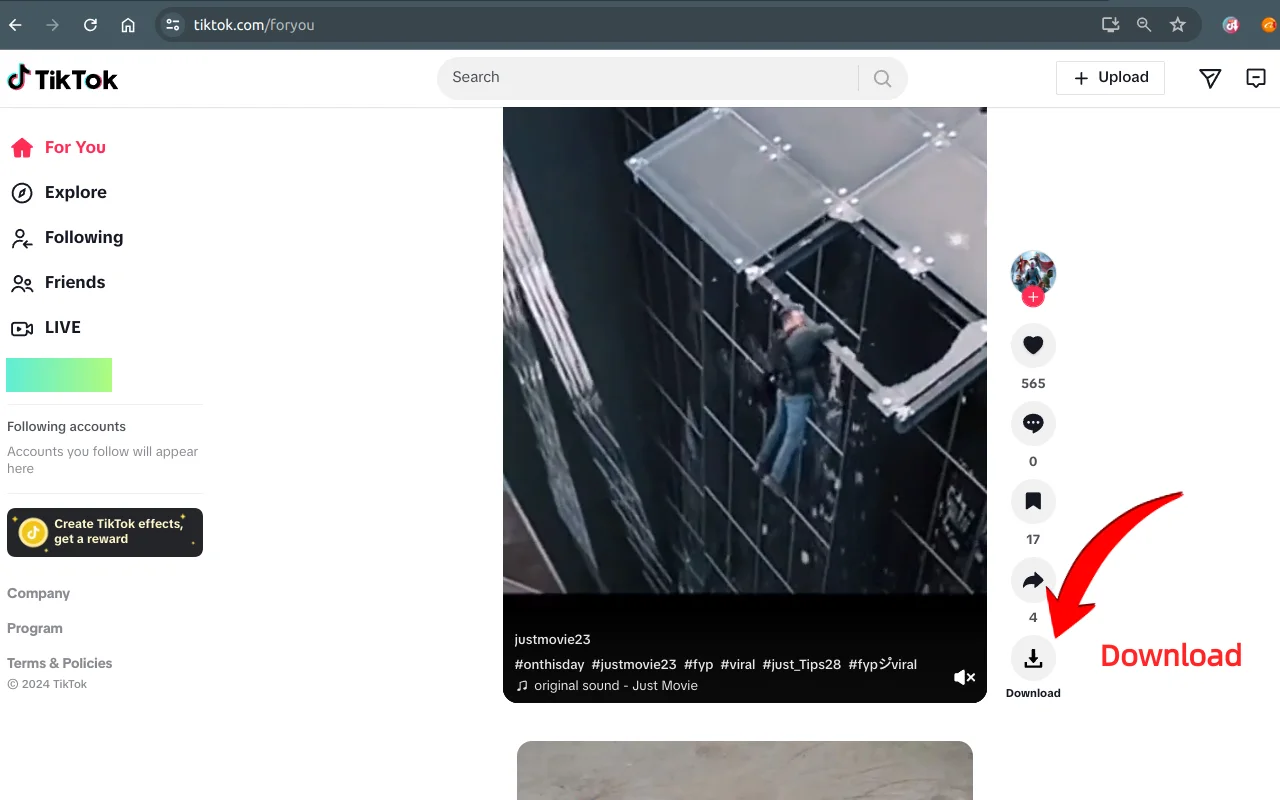
One control on the page
BVT adds a download control to supported public video pages and cards. No separate dashboard or upload step.
Progress and cancel
A running download shows progress. Click the active control again to cancel the current request.
Filename templates
Use a title, publish date, video ID, or username-based filename so the saved files stay recognizable.
Quality
The best source the page actually exposes.
BVT does not invent a higher quality version. It requests the clean HD source when TikTok provides one and falls back to what is available.
- Watermark-free output where the page exposes a clean source.
- HD where the page provides an HD stream; SD otherwise.
- MP4 output, saved through the browser’s normal download flow.
- No re-encoding, filters, overlays, or audio extraction.
Quality varies by video. A video can be public and still have no playable source, a lower-quality source, or a watermark that is part of the only file TikTok exposes.
Filename templates
Make the files easy to find later.
Choose a naming pattern in the extension’s settings or popup before you start downloading.
| Template | What it uses |
|---|---|
| title | The video description, cleaned up for a filename. |
| date_title | Publish date followed by the video description. |
| date_vid | Publish date followed by the video ID. |
| username_date_title | Creator username, publish date, and description. |
Workflow
From the video page to a local file.
A single download should not need a second application.
- 1
Open a public video
Use a video detail page or a supported public feed. Let the page finish rendering.
- 2
Click the BVT download control
The extension resolves the best available source and starts the download.
- 3
Watch the progress
Keep the page open until the file is saved. Click the active control again to cancel.
- 4
Find the file
The MP4 is saved through the browser’s download flow with the filename template you chose.
Limits
What to expect when a video will not download.
Not every video exposes a playable source. A video without one cannot be downloaded.
HD and watermark-free output depend on the source TikTok provides for that video.
BVT does not re-encode media, so it cannot remove a watermark that is part of the only source.
Private, removed, region-blocked, or login-only content is outside the supported scope.
A media URL can expire. Refresh the page and retry if a download fails.
Only download content you have the rights to use.
Follow applicable law, TikTok’s terms, and the content owner’s permissions. BVT does not provide legal permission and does not bypass access controls, DRM, or other restrictions. Availability is not the same as authorization.
FAQ
Single-video questions.
Where does the download button appear?
BVT adds a download control to supported public video cards and detail pages. The exact position follows TikTok’s current layout. If the button is missing, refresh the page and confirm that the URL is a supported public page.
Is the download watermark-free?
BVT requests the clean HD source when TikTok exposes one. The file is not re-encoded or edited. If the only available source already contains a watermark, BVT cannot remove it.
Can I choose the filename?
Yes. The extension offers title, publish date plus title, publish date plus video ID, and username plus publish date plus title templates. Set the template in the extension’s settings or popup.
Can I cancel a download?
Click the active download control again while the progress indicator is running. A cancelled download stops the current request; it does not affect other videos.
Why is the video low quality?
BVT saves the best source the page makes available. If TikTok only exposes an SD or lower-bitrate source for that video, that is the file BVT can save. It cannot upscale or reconstruct a higher-quality version.
BVT
Save the next video you open.
Install BVT and use the download control on a public TikTok video. Core features are free; Pro unlocks the full batch workflow.