
BVT for Chrome
Download TikTok videos without the watermark.
Save single videos in HD where TikTok provides an HD source, or batch download from Search, Explore, and creator profiles. Keep the files as MP4 or ZIP, and export selected metadata to XLSX.
Watermark-free and HD quality depend on the source TikTok provides for each video. BVT does not re-encode or edit media.
- No BVT account required
- 23 interface languages
- Local browser downloads
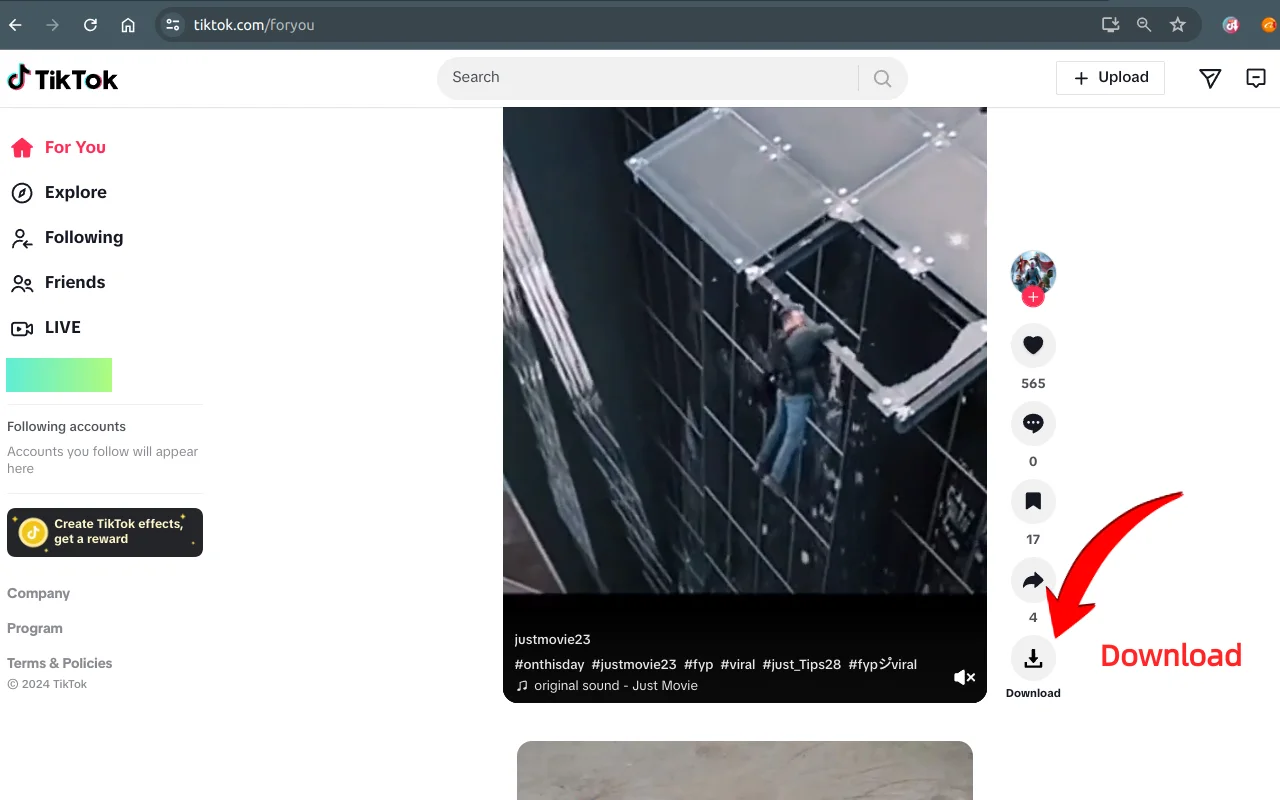
Works where you browse
- Video detail pages
- Creator profiles
- Search results
- Explore
- Hashtag pages
- Short drama pages
- Home and Following
Core features
One extension for the download you actually need.
A single video, a page of Search results, a creator’s recent posts, or a short drama. BVT keeps the workflow on the page you already opened.
Every feature depends on what the public page exposes. BVT does not bypass login, CAPTCHA, region blocks, DRM, or other access controls. See all features.
Why BVT
Built for quick downloads, not a separate dashboard.
No login, no upload step, and no background crawler. The extension works with the TikTok page you have open and writes files to your browser or a folder you choose.
No login required
Public pages only; TikTok may still show a login wall for some content.
Watermark-free where available
BVT saves the clean source when TikTok exposes one.
ZIP or folder output
Pick the workflow that fits the batch and your file manager.
23 interface languages
The extension follows the browser UI language.
How it works
Four steps, all on the page you opened.
No separate upload, no account dashboard, and no hidden library.
- 1
Open a public TikTok page
A video page, creator profile, Search result, Explore page, hashtag, short drama, or the Home feed. No BVT account is required.
- 2
Download one video or build a selection
Use the download control on a video, or add multiple videos from a supported list or creator profile.
- 3
Choose ZIP, browser download, or a folder
Single videos use the browser download flow. Batch selections can become a ZIP or individual files in a folder you choose.
- 4
Check progress and retry failures
A failed item is reported without stopping the rest of the queue. Refresh the page and retry if a media URL expired.
Product preview
See the download, batch, and export surfaces.
Screenshots from the current BVT Chrome Web Store listing. The extension UI follows your browser language.
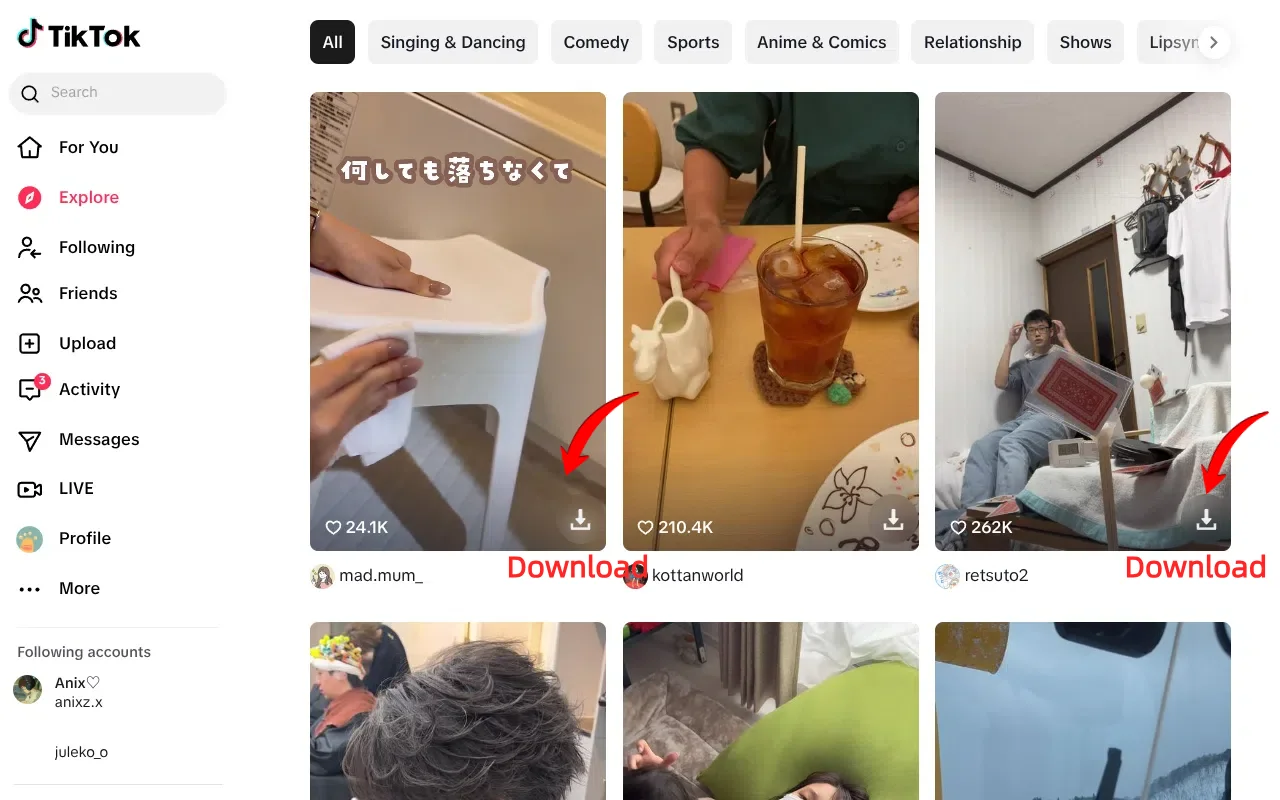
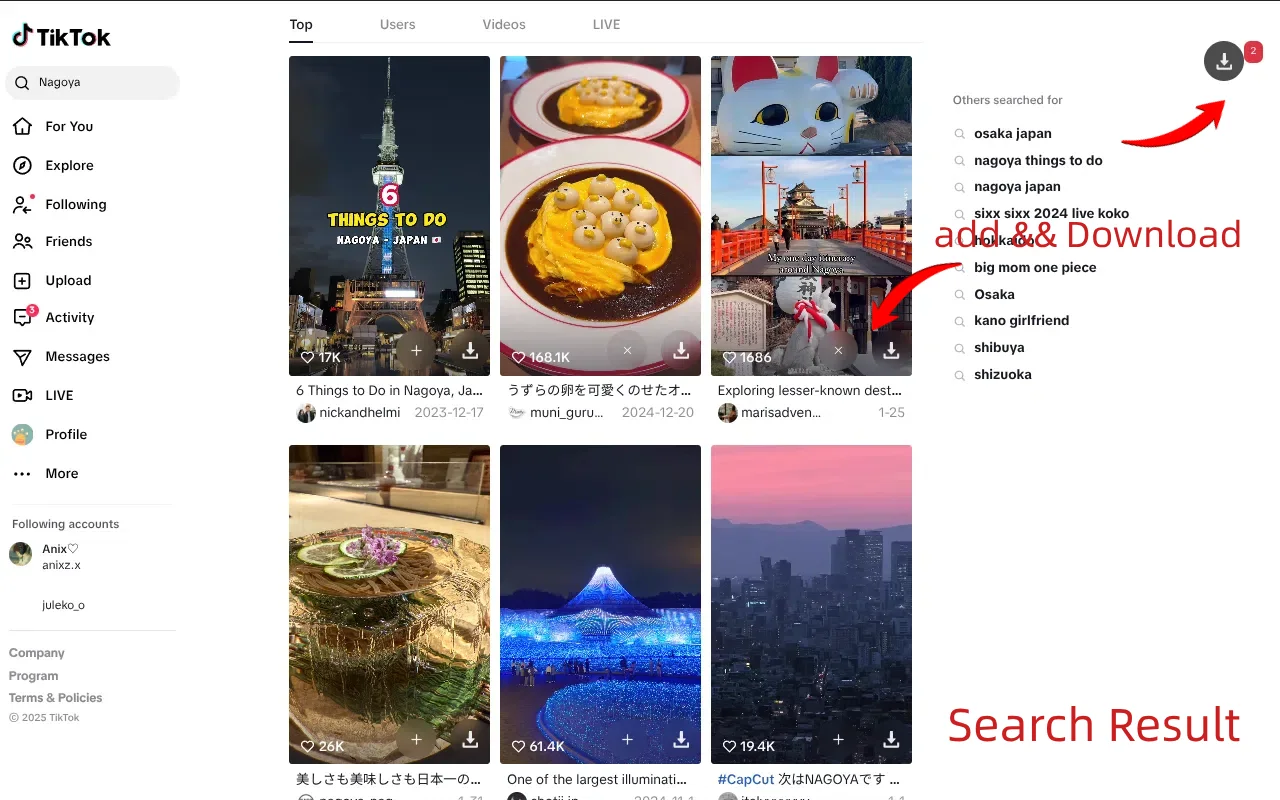
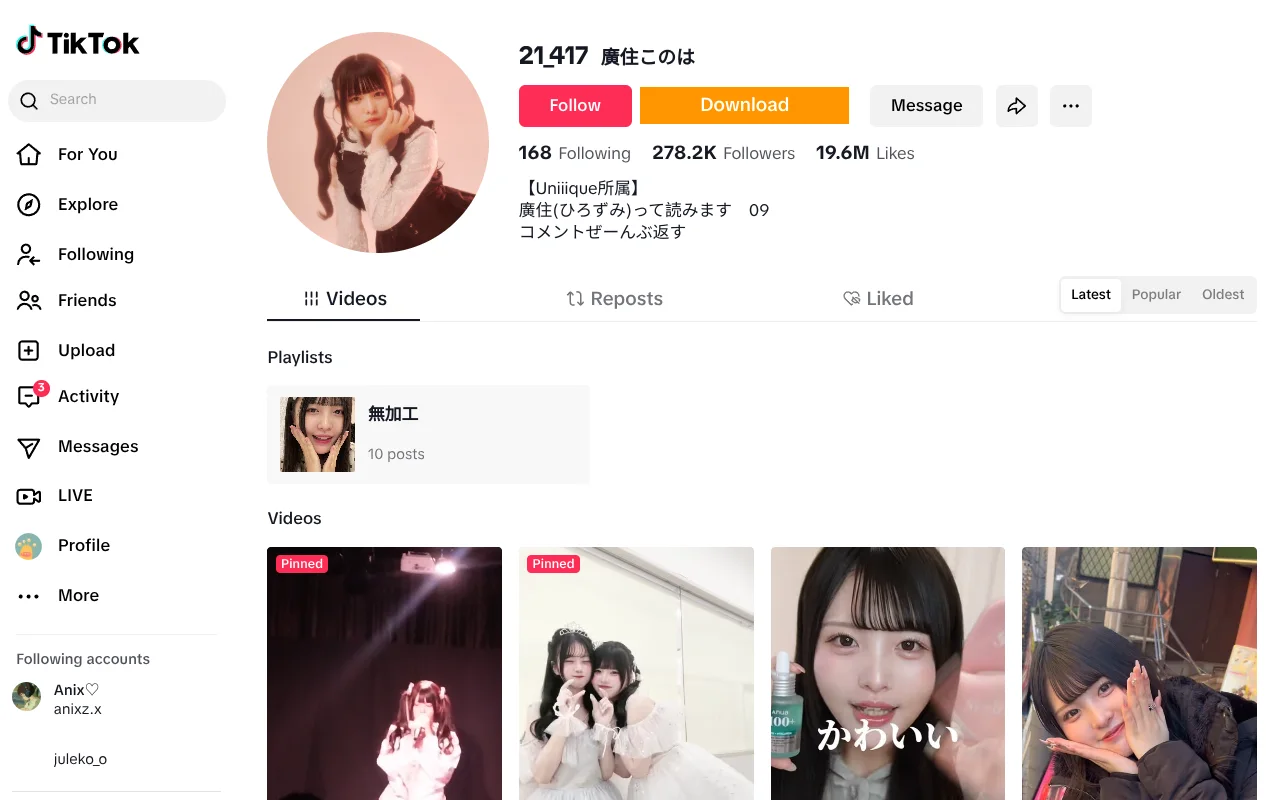
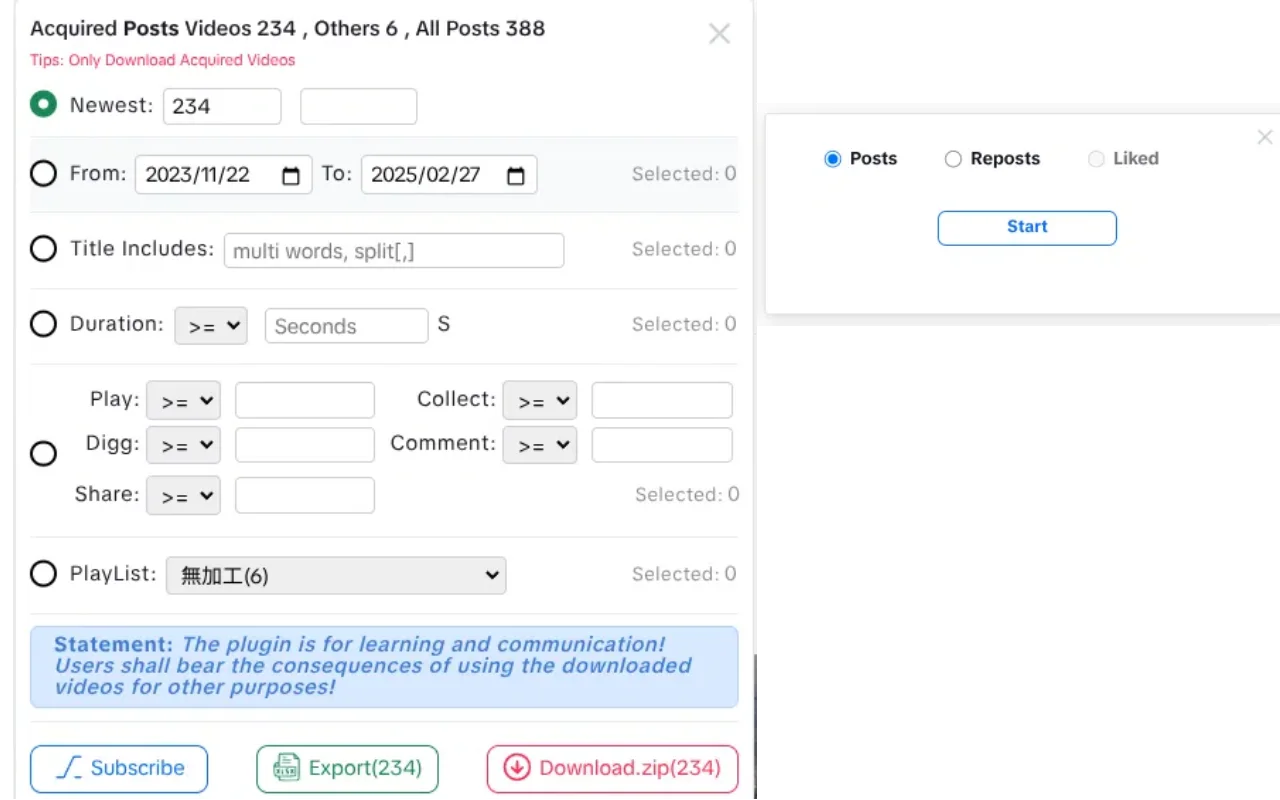
Screenshots are product captures from the Chrome Web Store listing. They are not a promise that every video has an HD or watermark-free source.
Use cases
For people who work with public TikTok content.
Save the videos you need for review, reference, or a team folder — and keep the source page with them.
Creators saving references
Keep a local folder of the public videos you want to study, reference, or discuss with your team.
Social media managers
Collect a batch from a campaign hashtag, a search page, or a creator profile without downloading one video at a time.
Researchers and analysts
Pair selected MP4s with an XLSX export of views, likes, comments, shares, dates, and playlist context.
Agencies and small teams
Save approved public posts to a chosen folder and keep the source page and export together for review.
Basic and Pro
Start with single downloads. Unlock the full batch workflow when you need it.
BVT is free to install. Pro is an in-app purchase; this site does not display billing details because plans can change.
| Capability | Basic | Pro |
|---|---|---|
| Single video download | Included | Included |
| Watermark-free HD where the source supports it | Included | Included |
| Batch from Search, Explore, and profiles | Limited | Full workflow |
| Creator posts, reposts, playlists, and liked videos | Limited | Full workflow |
| Short drama episode downloads | Limited | Full workflow |
| Save to a folder or download as ZIP | Limited | Full workflow |
| XLSX metadata export | Limited | Full workflow |
| Filename templates | Included | Included |
| Interface languages | 23 | 23 |
Limits and current plan details are shown inside the extension. Page availability and TikTok’s own limits still apply on Pro.
Local-first by design
Page data stays in your browser.
BVT processes the public page data it can read in your browser. It does not upload page data to BVT servers. Network requests are limited to the media you choose to download, the TikTok page data needed for the workflow, and Pro license validation.
Read the Privacy PolicyLocal page processing
Page data is not uploaded to BVT.
User-initiated downloads
Files are requested only when you start a download.
No extension telemetry
The extension contains no analytics or telemetry.
Guides
Practical notes for downloading public videos.
Start with the workflow you need, then check the limits before you use the files.
How to Bulk Download TikTok Videos
Build a batch from Search, Explore, hashtags, or a creator profile with BVT, choose ZIP or folder output, and understand what a batch cannot include.
How to Download a TikTok Creator’s Videos
Load a public TikTok creator’s posts, reposts, playlists, or liked videos with BVT, filter the list, and download or export the selection.
How to Download a TikTok Video on Desktop
Use BVT to save a single public TikTok video, choose a filename template, and understand when HD or watermark-free output is actually available.
FAQ
Questions, answered.
The short version of what BVT does, what it needs, and what it deliberately does not claim.
What is BVT?
BVT is an independent Chrome extension for downloading public TikTok videos. It supports single video downloads, batch downloads from Search, Explore, and creator profiles, short drama episodes, ZIP or folder saves, and XLSX export of selected video metadata.
Is BVT free?
BVT is free to install. The Basic version covers single video downloads and limited batch processing. Pro unlocks the full batch workflow through an in-app purchase. The extension shows the current plan and price before checkout; this website does not display billing details.
Do I need a TikTok or BVT account?
No BVT account is required for core use. BVT works on public TikTok pages you open, though TikTok may still show a login wall for some content. Pro activation uses the extension’s subscription and license flow, not a website account.
Which TikTok pages are supported?
BVT is built for public video detail pages, creator profiles, Search results, Explore, hashtag pages, short drama pages, and the Home/Following feed. It does not bypass login, CAPTCHA, region blocks, DRM, or other access controls.
Does BVT remove watermarks?
BVT saves the watermark-free HD source when TikTok exposes one for that video. It does not re-encode or edit media, so it cannot remove a watermark that is embedded in the only available source, and it cannot turn an SD source into HD. Availability depends on the page.
Can I download every video from a creator?
The creator tools request successive pages of posts, reposts, playlists, or liked videos for the profile you open. The run stops when TikTok stops returning items or when you stop it. Private, removed, region-blocked, or otherwise unavailable videos cannot be downloaded, so the result is not a guaranteed complete archive.
What file formats does BVT produce?
Videos are saved as MP4 files. Batch downloads can be saved as a ZIP or written to a folder you choose. Selected video metadata can be exported as an XLSX workbook. BVT does not download audio-only files.
Where are my files saved?
Single downloads go through the browser’s normal download flow. Batch downloads can be saved as a ZIP or written to a folder you select with the browser’s folder picker. Files stay on your computer; BVT does not upload them to a server.
Why did a download fail?
A video may have no playable source, its media URL may have expired, the network may have dropped, or the browser may have denied folder access. Refresh the page and retry. In a batch, failed items are reported without stopping the rest of the run.
Is BVT affiliated with TikTok, and is downloading allowed?
No. BVT is an independent product and is not affiliated with, endorsed by, or sponsored by TikTok or ByteDance. Downloading a public video does not give you permission to republish it or use it commercially. Follow applicable law, TikTok’s terms, and the content owner’s permissions.
BVT
Download the video. Keep the context.
Install BVT, open a supported public TikTok page, and save a single video or a selection. Only download content you have the rights to use.