
Bulk downloads
Bulk Download TikTok Videos
Add videos from Search results, Explore, hashtags, or a creator profile, then save the selection as a ZIP or as individual MP4 files in a folder you choose.
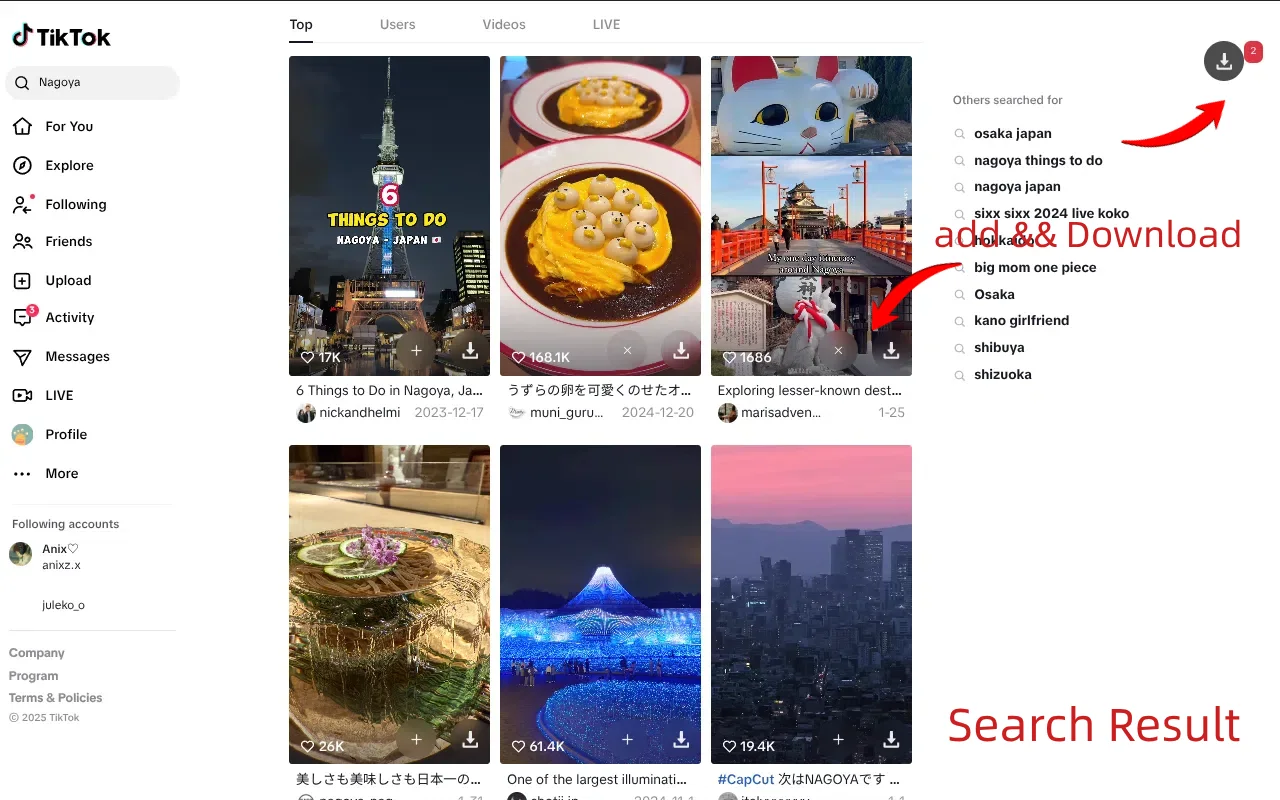
Add from supported lists
Use the add control on Search, Explore, hashtag, or creator cards. Select individual items or use the page-level controls.
ZIP or folder output
A ZIP is one file through the browser download flow. Folder saving writes individual MP4 files to a location you choose.
Progress and failures
Watch the batch progress and review failed items. A failed item does not stop the rest of the queue.
ZIP or folder
Choose the output that matches the batch.
Both options use the same selected set. The difference is how the files reach your computer.
Download a ZIP
Best for a smaller batch you want to move as one archive. The ZIP is generated locally and saved through the browser.
Save to a folder
Best for a larger batch or later review. The browser asks you to choose a folder and grant write access before files are written.
Workflow
Build the selection, then start the batch.
The selection is the source of truth for both download and export actions.
- 1
Open a supported list page
Search results, Explore, a hashtag page, or a creator profile. Let the page load before adding items.
- 2
Add the videos
Use the add control on each card, or the page-level selection controls where available.
- 3
Review the count
Confirm the selected count before starting. A filter change should not silently change what you selected.
- 4
Choose ZIP or folder
Start the batch and choose the output. For folder saves, approve the browser’s folder prompt.
- 5
Check the failures
Review any failed items, refresh the page if a media URL expired, and retry the selection.
Limits
What a batch can and cannot cover.
BVT only works with videos the page returns or renders. A list page is a sample, not a complete TikTok index.
Basic has limited batch processing; Pro unlocks the full batch workflow. The extension shows current limits.
A video can lack a playable source or expose an expired URL. Failed items are reported separately.
BVT does not bypass login, CAPTCHA, region blocks, DRM, or rate limits.
A ZIP is generated through the browser download flow; folder saving requires you to choose and authorize a folder.
A batch is not a license.
Downloading a public video does not give you the right to republish it, use it in an ad, or claim it as your own. Follow applicable law, TikTok’s terms, and the content owner’s permissions.
FAQ
Bulk download questions.
Which pages support batch selection?
Search results, Explore, creator profiles, and hashtag pages. Video detail pages support single downloads. The exact controls depend on the page type and TikTok’s current layout.
How do I add videos to a batch?
Use the add control on each card, or use the page-level selection controls where available. Then start the batch download and choose ZIP or a destination folder.
Should I use ZIP or save to a folder?
ZIP produces one archive through the browser’s download flow. Save to folder writes individual MP4 files into a folder you choose, which is often easier for large batches or later review. Both options work on the same selection.
Is there a batch limit?
The Basic version has limited batch processing; Pro unlocks the full batch workflow. The extension shows the current limits and plan details. Batch size is also limited by the videos TikTok actually makes available on the page.
Why are some videos skipped?
A video can have no playable source, an expired URL, or a format the page does not expose. Skipped or failed items are reported separately. A failed item does not stop the rest of the queue.
Does BVT download every card on the page?
No. BVT works with the videos the page returns or renders. It does not guarantee every video in a search, hashtag, or profile, and it does not promise a complete historical archive.
BVT
Turn a page of videos into a folder.
Install BVT, open a supported public list page, and batch download the selection. Pro unlocks the full batch workflow.